Sheru Bhai Ke Sath Photo: Make a Selfie Picture in Three Steps
Sheru Bhai ke sath photo means a photo together with Sheru Bhai. To make one here, upload an authorized adult selfie, choose a scene and frame, then sign in and generate using a paid photo pack. One generation uses one photo allowance for one result. Start with your selfie.
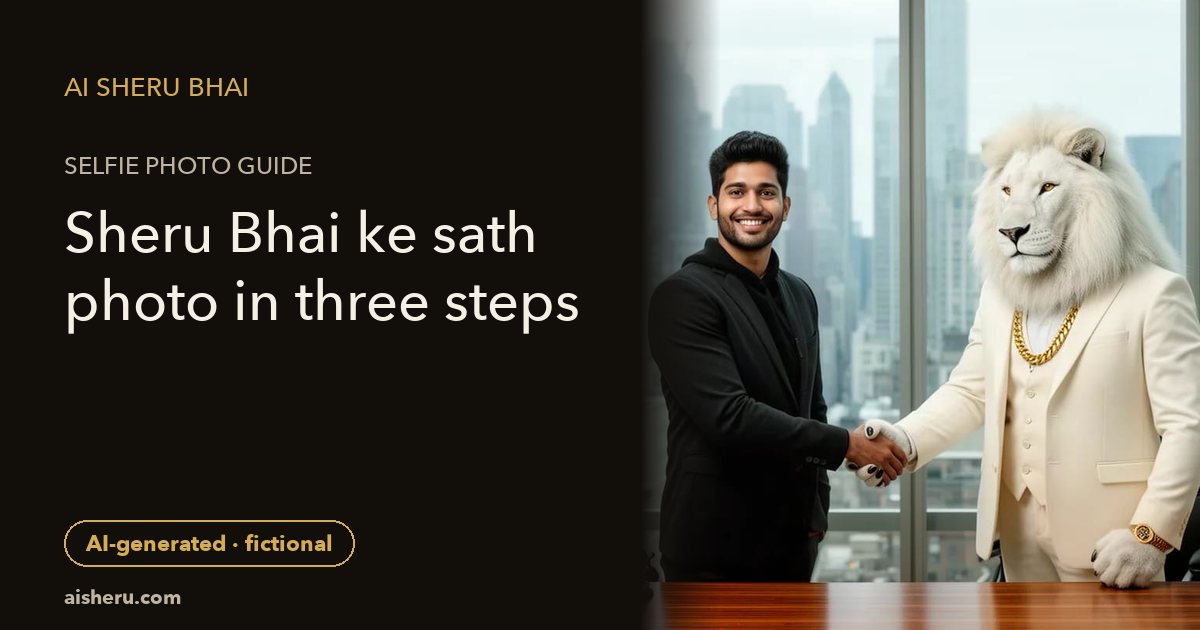
This is an AI composition beside an original fictional white lion with a white mane, ivory suit and gold chain. Sheru Bhai is fictional and this site is unofficial. A picture is not a real meeting, a photograph of a real lion encounter or an endorsement. Exact likeness and every background detail are not guaranteed.
Step 1: Choose one clear adult selfie
Use yourself or an adult who has agreed to this edit. Do not upload children’s photos. Pick a well-lit photo with one unobstructed face, natural skin detail and no heavy filter. A busy group photo or a tiny face gives the model less useful information. Ask the person to approve both the upload and the result before sharing it.
Open the photo generator, select your file and check the preview before proceeding. If your phone connection is slow, wait for the upload status rather than tapping repeatedly. For detailed preparation, read the complete selfie photo walkthrough.
Step 2: Pick one of eight scenes and a frame
Browse the public fictional photo examples before spending a photo allowance. The gallery contains AI-generated sample adults, not customer uploads. Your face, clothes, pose and background may differ from an example. Choose for the intended mood, not a promise of an identical output.
- The grand arrival: a hotel-doorway arrival portrait with Sheru. Useful when you want a calm entrance rather than an action scene.
- Supercar circle: a fantasy car-side setting. Do not imply ownership of a real vehicle.
- Deal sealed: an imaginary handshake with Sheru. Review hands carefully before saving.
- Sign the big deal: a staged contract-signing scene, not evidence that a legal agreement exists.
- Highest bidder: a fictional auction-hall setting, not proof of a purchase or wealth.
- Baraat royalty: a celebratory wedding-procession scene. Do not pass it off as a wedding that happened.
- Lion boss mode: a solo transformation into a white-lion boss on a terrace, not a two-character photo.
- Lion king avatar: a solo fictional lion-style avatar. Pick one of the first six scenes if you specifically want to stand beside Sheru.
Choose among the frames offered by the selected scene before generating. A tall 9:16 composition works well for Status or Stories; 4:5 is useful for portrait posts, and a square suits an avatar. Availability depends on the scene’s controls. Leave room for captions and preview the destination app’s crop before posting.
Step 3: Sign in, check the pack and review one result
The on-site photo workflow uses paid one-time photo packs, not a free single-photo trial or a subscription. Check the current pack options before purchase. Photo and video allowances are separate; making a still does not include a video. Unused allowances never expire.
After generating, inspect the face, hands and invented objects. Download a result you are comfortable sharing. If the status is uncertain, check your private history rather than sending duplicate requests. Do not buy a second pack simply because an upload is slow. The support and refund links in the footer explain how to ask for help.
Searches such as Sheru Bhai photo single or Sheru Bhai ka photo can mean either an existing picture or making a new one. For an existing example, use the gallery; for your own face, use the selfie generator. This guide does not offer someone else’s render as your personal result.
Privacy and honest sharing
Uploads and generated results stay private and are not automatically added to the public gallery. Private does not mean no processing: photos use FLUX.2 [dev] through fal.ai. Read the privacy policy for processing and retention details and the terms for adult authorization requirements. Do not assume that uploading here changes another service’s privacy settings.
Write “AI-generated fictional scene” in the message or caption when you share. Do not rely on an image containing a visible AI watermark. Never use an imaginary handshake, wedding or purchase as proof that an event occurred, and do not impersonate a real person.
Want a moving version? Compare four prepared video actions. For caption ideas, use the short dialogue lines with English meanings. Prefer another editor? The Google Flow / Gemini walkthrough explains a manual two-sequence video plan, while the public photo prompts offer independent still-image starting points. Neither reveals our production recipes.
Frequently asked questions
What does Sheru Bhai ke sath photo mean?
It means a photo together with Sheru Bhai. Here that is an AI-generated composition beside an original fictional white lion, not a real meeting, official endorsement or photograph of a real person called Sheru Bhai.
Can I make one Sheru Bhai photo single?
Yes. One generation uses one photo allowance for one result. The tool uses paid one-time photo packs, not a free single-photo trial. Choose the scene and frame before generating; exact likeness is not guaranteed.
Are my selfie and result added to the public gallery?
No. Uploads and results stay private; the public gallery uses AI-generated sample adults. Upload only yourself or a consenting adult, never children. See the privacy policy for processing and retention details and disclose AI generation when sharing.